![ProductiveParksLogo-square-1.png]](https://knowledgebase.productiveparks.com/hs-fs/hubfs/ProductiveParksLogo-square-1.png?height=40&name=ProductiveParksLogo-square-1.png)
To Log Out of Productive Parks:
Click on your name at the top right of your screen. If you are on a mobile device, click on the three horizontal lines at the top right of your screen and then click on your name.

The option to log out will appear on the dropdown.
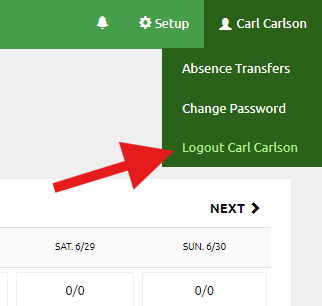
Click Logout to finish your session with Productive Parks.